Free during the betaLaTeX-quality output, zero code

Write like a doc.Print like a textbook.

Build papers, exams, worksheets, and slides from drag-and-drop blocks. Formulas, function plots, and figures come out typeset like LaTeX — without you writing a single line of code.

  • Nothing to install
  • No credit card
  • Export to PDF, Word, LaTeX

Texva in numbers

  • 200+ready-made templates
  • 14question types for exams and quizzes
  • 27slide themes
  • 29interface languages
  • 0lines of LaTeX you have to write
Word vs. Texva

Same page. Two very different printouts.

Drag the slider to compare. On the left, what every Word export looks like once maths is involved; on the right, the exact same content made in Texva.

PROBLEM SET 3

Algebra — Due Friday

1. Solve the equation: x2 – 5x + 6 = 0

2. The roots of a quadratic equation are given by:

x = -b ± √(b2 - 4ac)2a

3. Test scores for group A:

ScoreStudents
53
78
94
Mixed fontsBroken fractionMisaligned table
PROBLEM SET 3Algebra — Due Friday

1. Solve the equation x2−5x+6=0x^2 - 5x + 6 = 0.

2. The roots of a quadratic equation are given by:

x=−b±b2−4ac2ax = \frac{-b \pm \sqrt{b^2 - 4ac}}{2a}

3. Test scores for group A:

ScoreStudents
53
78
94
Textbook-grade mathsEverything lines up
Made in WordMade in Texva
Everything in one document

From the first line to the printed page.

One document carries your text, formulas, figures, and slides — so nothing gets built twice.

01Writing

Type / to insert anything.

No maze of menus, no syntax to memorise. Type a slash to insert a formula, table, figure, question, or theorem box — Texva handles the layout.

  • A visual formula keyboard: type x^2, see x²
  • Dozens of blocks: tables, columns, theorem boxes, TOC
  • Automatic numbering for equations, figures, and questions
See every feature
02Figures

Draw plots and diagrams with your mouse.

Type a function and get its graph. Drag points, recolour, add labels as if sketching on paper — and every stroke stays editable. Never a dead image.

  • Function plots, variation tables, sign charts
  • Plane and solid geometry, charts, mind maps
  • Physics, chemistry, and circuit shapes built in
Try the free graph maker
03Exams

From blueprint to four versions and an answer key.

Tag questions by cognitive level, assemble a paper from a blueprint, then shuffle it into as many versions as you need. Answer keys, student and teacher editions all come from one source.

  • 14 question types: multiple choice, true/false, short answer, essay…
  • Solutions and rubrics attached to every question
  • Printable bubble answer sheets for quick grading
See an exam template
04Slides

Write it once. Print it and project it.

Every heading becomes a slide. Pick a theme, add step-by-step reveals and speaker notes — no rebuilding your lecture in PowerPoint.

  • 27 slide themes, switched in one click
  • Step-by-step reveal animations
  • Present mode with speaker notes and share links
See a lecture deck template
05Assign

Assign it to a class. Students answer on their phones.

Create a class and assign the paper you just wrote. Objective questions are graded the moment a student submits and scores land in the gradebook — you only mark the written answers.

  • Set up a class and assign work in a few steps
  • Auto-graded objective questions, live gradebook
  • Written answers submitted by photo or stylus
Start for free
Template library

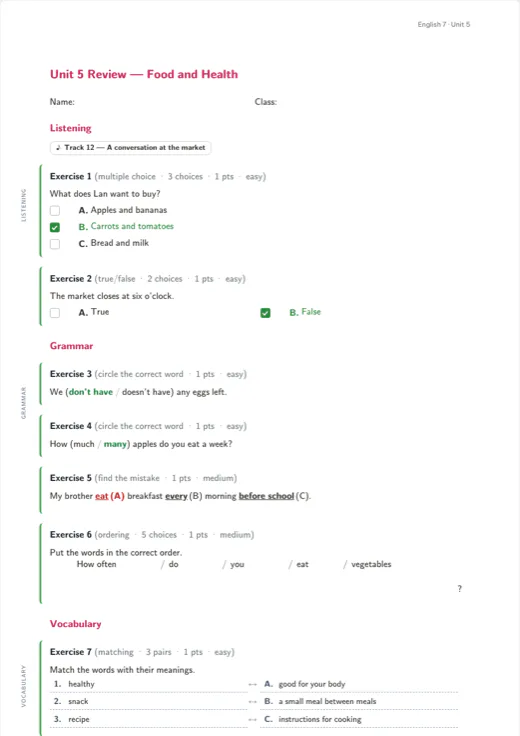
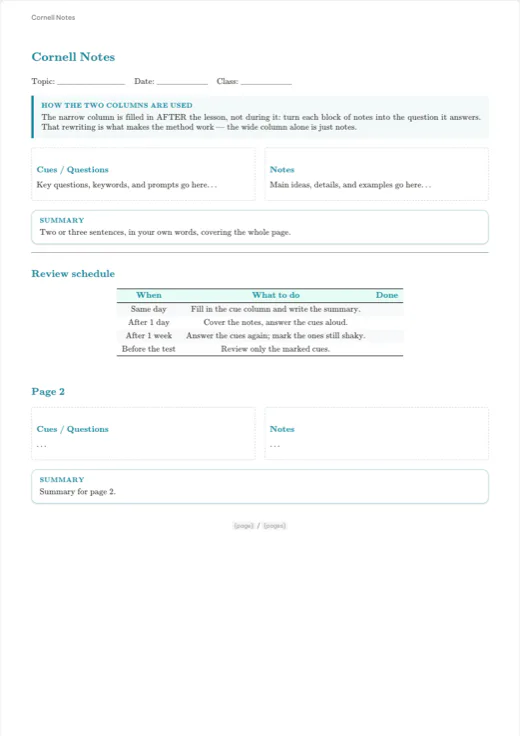
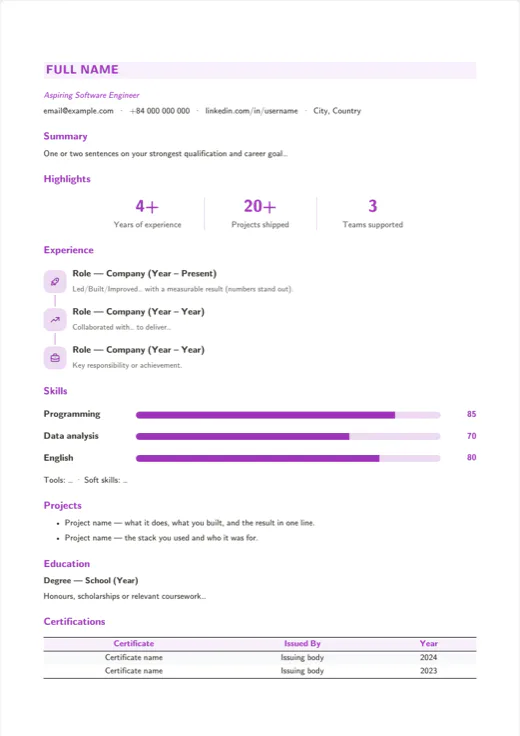
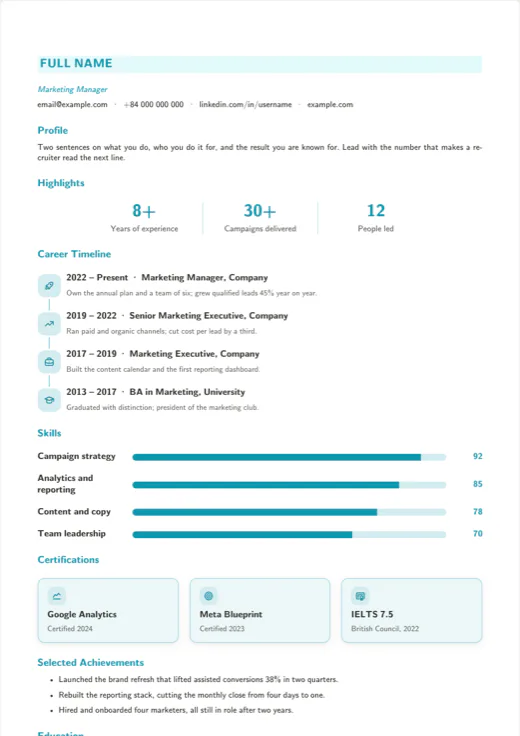
200+ templates. Pick one, change a few words, print.

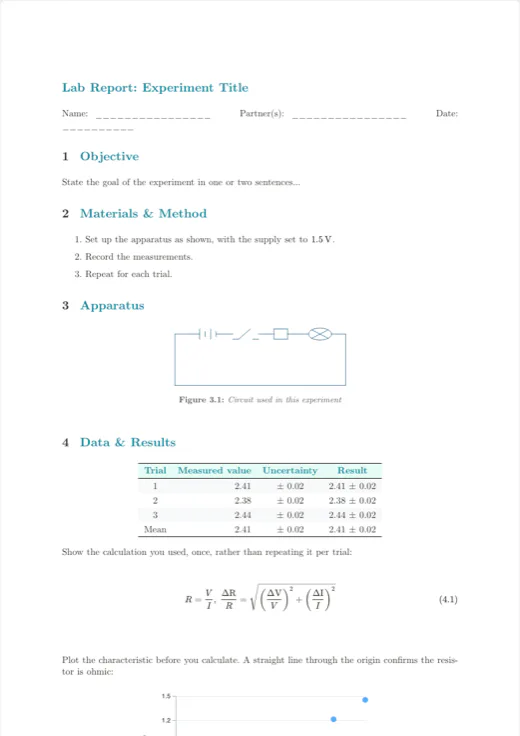
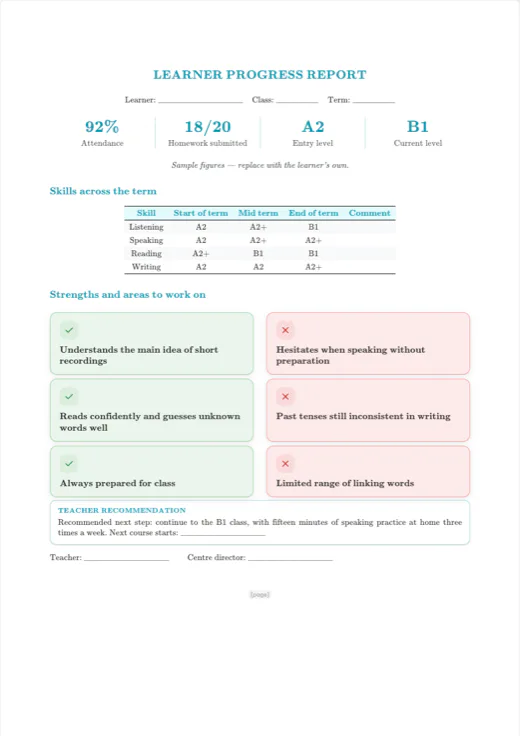
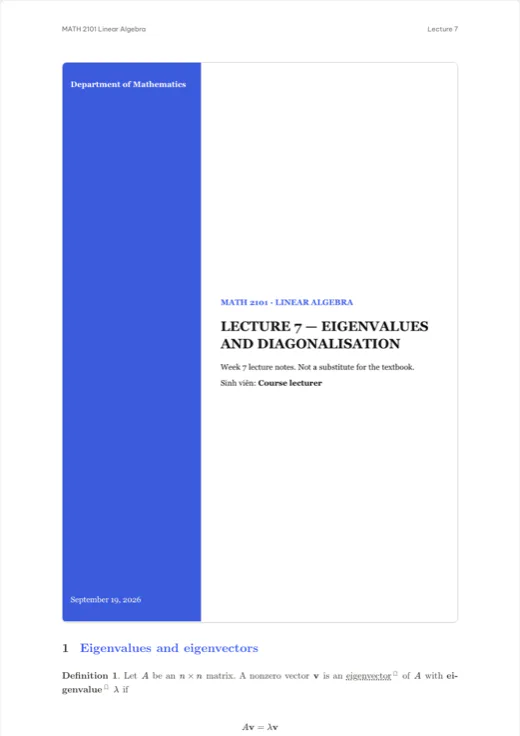
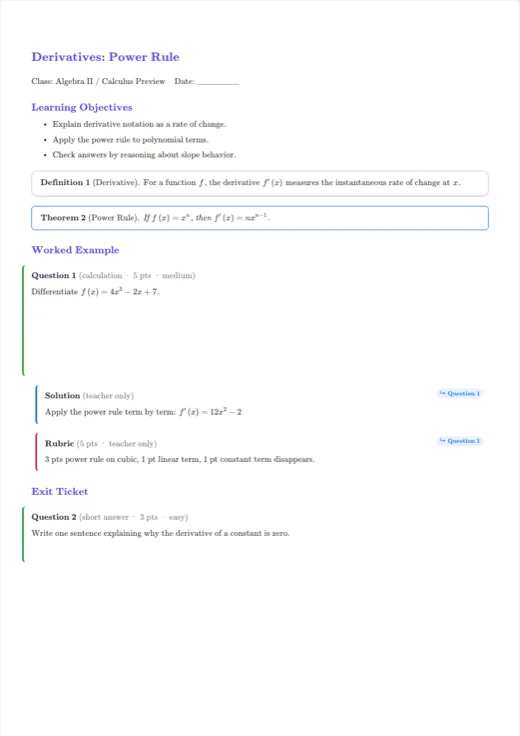
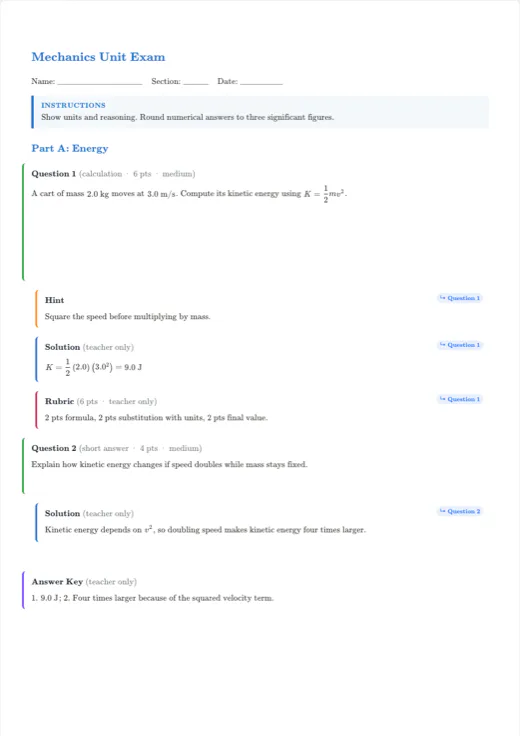
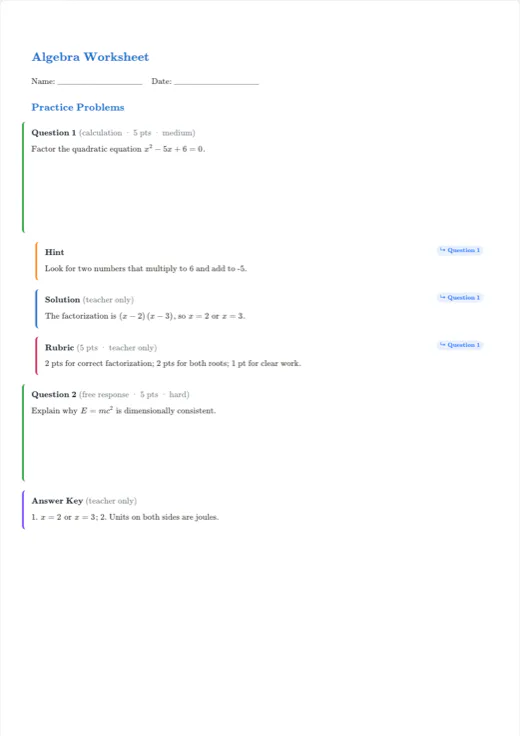
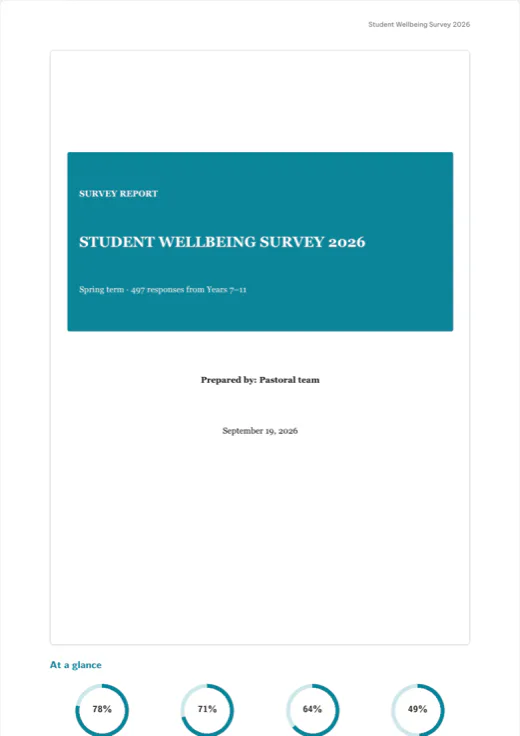
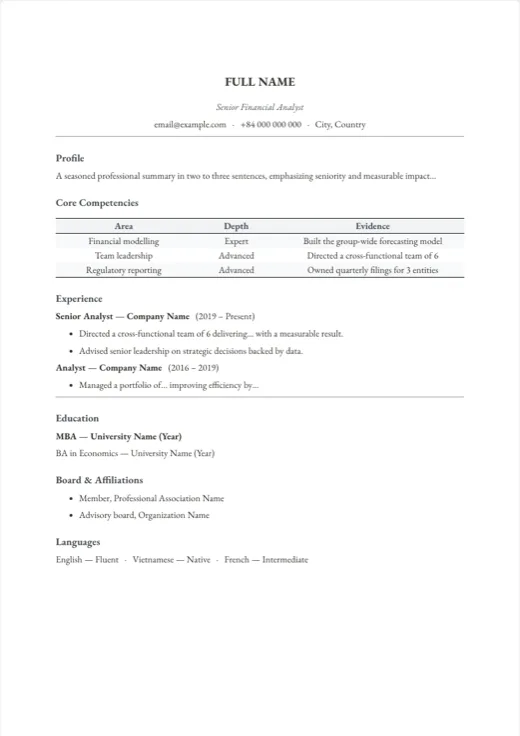
Papers, lab reports, lecture notes, exams, CVs, slides — every template opens as a finished document, not an empty frame. Every page below was captured in the editor itself.

Who it's for

Built for anyone whose documents have maths in them.

Students

Theses, lab reports, essays, and defence slides with proper equations and a table of contents — without learning LaTeX.

Report and thesis templates

Researchers & lecturers

Two-column papers, lecture notes, and figures that stay editable — with clean .tex export when a journal asks for it.

Lecture slide templates

Teachers

Exams, worksheets, answer keys, and lesson slides from one document — student and teacher editions included.

Exam templates
Quick comparison

Why not Word, Overleaf, or Canva?

Each tool is great at one thing. Texva brings together what documents with maths in them actually need.

FeatureTexvaWordOverleafCanva
Formulas that print cleanly, layout intactYesPartlyYesNo
Visual editing, no code to learnYesYesNoYes
Drag-and-drop plots and variation tablesYesNoNoNo
Exam shuffling with automatic answer keysYesNoNoNo
Slides from the same documentYesNoPartlyPartly
Export to PDF, Word, and LaTeXYesPartlyPartlyPartly
Based on built-in features, not counting add-ins or extensions.

Frequently asked questions

The honest answers, before you move your materials over.

What is Texva?

Texva is a visual document editor for the browser and desktop, made for anyone who writes documents full of formulas. You compose with drag-and-drop blocks like in Notion, and your printout looks like it was typeset in LaTeX.

Is Texva free?

Yes. During the beta every editing, drawing, exam, and export feature is free, and no credit card is required.

Do I need to know LaTeX?

No. Texva is 100% visual — you type, drag, and drop while LaTeX-grade layout runs under the hood. You never see code unless you choose to export a .tex file.

Can I submit a Texva document to a journal or an Overleaf project?

Yes. Export the LaTeX source and open it in Overleaf or any LaTeX setup, or hand in the PDF directly.

I already have years of material in Word and Overleaf.

Bring it with you. Texva imports .docx, .tex, and Markdown, and exports back to PDF, Word, LaTeX, and Markdown. You're never locked in.

Does it work offline?

Yes — the desktop app edits and exports PDFs locally, so you can finish tomorrow's deadline on tonight's train.

Can I work on a document with other people?

Yes. Invite co-authors to a project, edit together in real time, and leave comments right on the page.

Which subjects and document types does it handle?

Anything with maths or science in it: equations, chemical formulas, circuits, solid geometry, units, matrices. Templates cover papers, theses, lab reports, lecture notes, exams, worksheets, CVs, and slides.

Your next document starts here.

Start from a template, import a Word or .tex file, or just start typing — your first polished PDF is minutes away. No LaTeX, nothing to install.